Kelime listesi
Kelime listesi
destination
The place you want to go to.
Enter your destination into the map app.
route
The way from one place to another.
The app shows three different routes.
direction
Information that tells you how to get somewhere.
The app gives directions to the hotel.
straight
Without turning left or right.
Go straight for two blocks.
turn
To change direction to the left or right.
Turn left at the traffic lights.
distance
The space between two places.
The app shows the distance to the station.
public transport
Buses, trains, metros, and other transport used by many people.
Map apps can help you use public transport.
station
A place where trains, buses, or metros stop.
The nearest metro station is five minutes away.
platform
The place at a station where people wait for a train.
The train leaves from platform four.
arrival
The time when a bus, train, or person reaches a place.
The app shows the bus arrival time.
GPS
A system that uses satellites to show your location.
GPS helps the app know where you are.
offline
Not connected to the internet.
An offline map can work without internet access.
Reading / Listening
7 dk
How to Use a Map App in English
Dinle ve metni takip et
Ses oynarken aktif cümle vurgulanır.
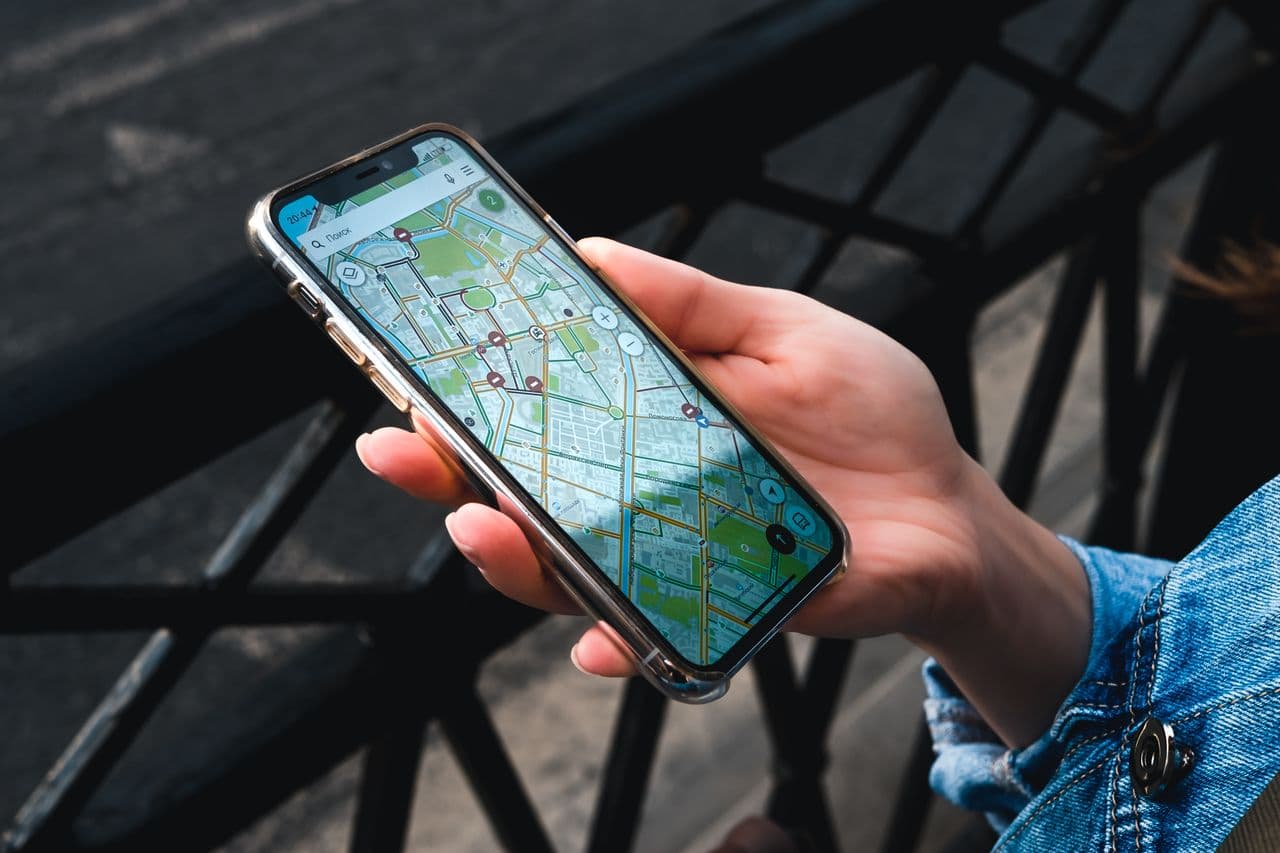
Map apps are very useful when you travel or visit a new place. They can show where you are, where you want to go, and how to get there. You can use a map app while walking, driving, cycling, or using public transport.
The first step is to enter your destination. A destination is the place you want to go. You can type the name of a hotel, restaurant, museum, street, or station. The app then shows one or more routes.
A route is the way from one place to another. Some routes are shorter, and some are faster. A map app may also show how long the journey will take. For example, it may say, "12 minutes by car" or "20 minutes on foot. "
When you start the route, the app gives directions. You may see or hear instructions such as "Go straight," "Turn left," or "Turn right. " These are very common phrases in English. If you miss a turn, the app usually finds a new route for you.
Street names are also important. The app may say, "Turn right onto King Street" or "Continue on Green Road. " Listening for the street name can help you know where to turn.
Sometimes the app tells you about distance. It may say, "In 200 metres, turn left. " This means you should continue for 200 metres before you turn. If you are walking, you can also look at the map and follow the blue line on the screen.
Map apps are useful for public transport too. They can show bus numbers, train lines, metro stations, and arrival times. You may see instructions like "Take bus 24" or "Get off at Central Station. " This can make travel easier in a city you do not know.
It is also useful to understand words such as entrance, exit, platform, stop, and station. These words often appear in map apps and transport information. Learning them can help you feel more confident when you travel.
However, map apps are not always perfect. GPS can sometimes be slow or incorrect, especially inside buildings or in streets with tall buildings. A road may also be closed. If the app looks wrong, check street signs or ask someone for help.
Before a trip, it is a good idea to charge your phone and download the map if the app allows it. An offline map can still work when you do not have internet access.
Using a map app in English is a practical way to learn travel vocabulary. The more you use words like straight, left, right, route, stop, and station, the easier they become. With a phone, a map, and a few useful English phrases, finding your way can be much simpler.
Anlama soruları
Anlama soruları
01
What can a map app show you?
Örnek cevabı göster
A map app can show where you are, where you want to go, and how to get there.
02
What is a destination?
Örnek cevabı göster
A destination is the place you want to go.
03
What is a route?
Örnek cevabı göster
A route is the way from one place to another.
04
What directions can a map app give?
Örnek cevabı göster
It can give directions such as go straight, turn left, and turn right.
05
What usually happens if you miss a turn?
Örnek cevabı göster
The app usually finds a new route for you.
06
How can map apps help with public transport?
Örnek cevabı göster
They can show bus numbers, train lines, metro stations, arrival times, and where to get off.
07
Why can an offline map be useful?
Örnek cevabı göster
An offline map can be useful because it can work when you do not have internet access.
08
What is the main message of the text?
Örnek cevabı göster
The main message is that map apps can make travel easier and help learners practice useful English travel vocabulary.
Konuşma soruları
Konuşma soruları
01
Do you often use a map app?
Örnek cevap fikri
Yes, I often use a map app when I visit a new place or need directions.
02
What do you usually use a map app for?
Örnek cevap fikri
I usually use it to find restaurants, hotels, stations, and the fastest route.
03
Do you prefer walking directions or public transport directions?
Örnek cevap fikri
I prefer walking directions when the place is close, but I use public transport for longer journeys.
04
What do you do if a map app gives the wrong direction?
Örnek cevap fikri
I check the street signs, look at the map again, or ask someone for help.
05
Which English direction words are most useful when travelling?
Örnek cevap fikri
Go straight, turn left, turn right, stop, station, and entrance are very useful.
06
Would you feel comfortable using a map app in English?
Örnek cevap fikri
Yes, because the same direction words appear often and become easier with practice.
Kullanışlı ifadeler
Kullanışlı ifadeler
find your way
To discover how to get to a place.
A map app can help you find your way in a new city.
enter your destination
To type the place you want to go into an app.
First, enter your destination.
how to get there
The way to reach a place.
The app shows you how to get there.
go straight
To continue without turning left or right.
Go straight for 300 metres.
turn left
To change direction to the left.
Turn left after the bank.
turn right
To change direction to the right.
Turn right onto Green Street.
miss a turn
To pass the place where you should turn.
If you miss a turn, the app can find a new route.
on foot
By walking.
The museum is twenty minutes away on foot.
take bus 24
To travel using bus number 24.
Take bus 24 to the city centre.
get off at
To leave a bus, train, or metro at a particular stop.
Get off at Central Station.
ask someone for help
To request help from another person.
Ask someone for help if the map looks wrong.
without internet access
When you cannot connect to the internet.
An offline map can work without internet access.